Get Organized This Summer- Make Your Messages Clear and Consistent

Image by Thiago Esser via Flickr

Over the course of the summer, I am offering tips to help you get organized during what may be a slower time, and prepare for a busy fall.  

All nonprofit organizations need a clear set of consistent messages to use in their fundraising and marketing materials, but many do not have these.  According to a recent survey by Nancy Schwartz from Getting Attention.org, only 24% of respondents said their messages connect with their target audiences. It makes you wonder how much time nonprofits invest in messaging. Marketing Consultant Chuck English wonders the same thing. Nonprofits don’t care about marketing
Create a message platform
Does your organization need a message makeover?  Putting together a set of clear, consistent messages, also known as a message platform, may take some time up front, but it will be time well spent.  Now whenever you create a fundraising letter or content for your website, you can draw material from this set of messages.  Having a consistent set of messages is essential when you have more than one person writing for your organization and as new staff or volunteers join you.  All your materials need continuity and a single voice.

The links below will help you create a message platform. Everyone in your organization – staff, board, volunteers –  is a message ambassador, and needs to be involved.  Although, that doesn’t mean they should be involved in every step of the process.

You may want to get some initial input from the staff and board.  Ask everyone a few key questions, such as:

  • What do we do?
  • Who do we serve?
  • Why are we important?
  • How are we unique?
  • What impact do we make?

If their answers are all across the board, then you have a lot of work to do.
A small group – marketing staff and board members with marketing experience – should put together the message platform and then introduce it to everyone else.  You may not be able to finish this in the summer due to people’s vacation schedules, but at least you can get started.

The 4 Cornerstones of an Engaging Message Platform


Create a style guide
Continuing on the theme of consistency, I strongly recommend putting together a style guide.  A style guide can cover both elements of your written material (editorial) and the look of your materials (design). You can put your parts of your message platform in here, too, once you complete it.
It shouldn’t take you a lot of time to put together a style guide and it doesn’t need to be long document.  However, it will save you a lot of time in the end.  It’s a huge help if you don’t know whether or not to use a serial comma, or what fonts you should use in your materials.  Again, this is important if you have more than one person writing for your organization, or if you use volunteers who aren’t there full-time.   

Overall, it ensures that your materials will have a consistent message and look.
Take some time this summer to make sure that your messages and materials are clear and consistent.

A Website Checklist

This post was featured in the September 2012 Nonprofit Blog Carnival

Ten posts to take your website to the next level

Even in the age of social media, websites are still one of the first places people go to in order to get information. That’s why your nonprofit organization needs one that’s welcoming and audience-centered.   

Does your website pass that test?  Use the checklist below to find out. 

Home page
Your home page is often the first place a newcomer will visit.  Make it an entryway to the rest of your website.  
  • Is it free of clutter and easy to navigate and read? 
  • Does it include an engaging photo and a small amount of text, such as a tagline or position statement?
  • If you are highlighting something such as an event, is the information up-to-date, and is it the most newsworthy item you can feature?
  • Does it include a Donate Now button that’s prominent without being tacky?
  • Does it include a newsletter sign up box and social media icons?
  • Is the navigation bar easy to use?
  • Does it include a search feature?


More information on creating a great home page.

Donation page
More people are donating online and this trend will continue.  If you are planning to do a fundraising appeal soon, now is a good time to make sure your donation page is up to speed.
  • Is it easy to use?
  • Does it include a strong call to action with the same messages as all your other fundraising appeals? 
  • Does it show how the donation will be used and what different amounts will fund?
  • Does it include an option for recurring gifts?
  • Does it have a compelling photo?  
  • After someone donates, does it take the person to a thank you landing page and generate a thank you email? 


More information on creating a great donation page.

The rest of your pages
Now take some time to look at the rest of your web pages.
  • Are they easy to read/scan and navigate?  
  • Do all of your pages have a consistent look?
  • Is the content well written in a conversational style (no jargon), and is it free of grammatical errors and typos?
  • Are your pages audience-centered?  Remember that some visitors know you well and others don’t.  A person visiting your volunteer page may not know much about your organization, so you will need to include a compelling description of what you do.
  • Do your pages contain a clear call to action?  For example, your volunteer page should make someone want to volunteer.
  • Does each page have one or two photos related to its subject matter?  Going back to your volunteer page, you could include a photo of volunteers engaging with clients.
  • Is all the content up-to-date?
  • Do all your links work?
  • Do all your pages include a Donate Now button, navigation bar, social media icons, a newsletter sign up box, and a search feature, so your visitors don’t have to go back to the home page?
  • Are you using analytics to see how often people visit your pages?  If you have pages that aren’t generating a lot of interest, assess why that is happening. You may need to make the page more enticing or take it down.
  • Is it mobile friendly?
  • Is there other content you should include?

More information on creating content for your website.

After you have made any necessary changes, have someone who isn’t as familiar with your organization (maybe a friend or family member) look at your website to see if the content is clear and that it is easy to navigate. 

Again, your goal is a website that is welcoming and audience- centered for everyone from first-time visitors to long-time supporters.
Image by Sean MacEntee via Flickr

Do You Have Good Stories To Tell?


Photo by UNE Photos via Flickr
If you are making a difference in someone’s life or in the community, you have good stories to tell. The best stories are ones about the people you serve and not about your organization. You can tell your stories in writing, in a video, and in pictures.

Written Stories
When writing a story use classic storytelling devices. Give it a beginning, middle, and end.  Good stories also include conflict or a struggle.

If you are writing about people, use names to make it personal. You can change someone’s name to protect the person’s privacy if needed.   

You need to grab someone’s attention right away. Your stories should also capture emotion. In the words of Maya Angelou – “I’ve learned that people will forget what you said, people will forget what you did, but people will never forget how you made them feel.”

Keep your stories short and limit the use of statistics. You can follow up your story with a statistic, if you want to. Try something like this:

Every Wednesday Sarah wakes up at 5:00 a.m. to catch the #45 bus to try to get to the front of the line at the community food bank by the time it opens. Mornings are hectic and she also needs to get her kids ready for school.

If Sarah misses the bus, the next one doesn’t come for another hour. If she arrives at the food bank too late, she finds the shelves contain slim pickings. Sarah is just one of the X number of town residents who rely on the food bank.
Include stories in your fundraising and marketing materials. You could open your fundraising appeal with a story like the one above and then lead into the ask.  Put stories on your website. This is often a place where newcomers visit, and a story is a great way to introduce your organization.  Include a client story/profile in your newsletter. I used to work for a mentoring organization and we would a feature a different mentor/mentee match each month.

Work with your program staff to find these great stories. They can refer you to people to interview and help get any necessary permissions.

Here are some more tips on creating stories.


Video
You can take some of your written stories and transfer them to video. Showing footage with a voiceover is the most compelling. You could film Sarah’s journey and condense it to a few minutes.  Record action footage of the people you serve, such as kids participating in an afterschool program or tutoring sessions.

You can interview clients and have them tell their story. Sometimes this works and sometimes it doesn’t. Not everyone is a future TV star.  Find compelling subjects who are good on camera to ensure that you have an interesting video. 

If you are going to produce a video, make sure it’s good quality. Find an experienced person to shoot and produce it. If cost is an issue, you may be able to find someone to a produce a video at no cost.

Most importantly, keep it short. Videos on your website or social media should last just a few minutes. You can create longer videos to use at fundraising or recruiting events, but stick to 10 minutes or less.

Video Resources 


Photos
Photographs can tell a story in an instant. People may not take time to read a story or watch a video, but they shouldn’t be able to miss an engaging photo. 

Every year or two take a set of photos and use them on your website, annual reports, fundraising letters, newsletters, and social media.  It’s okay if you use some of the same ones.  It helps with your brand identity. 

Choose compelling pictures of the people you serve. When using action shots, make sure you can see peoples’ faces and not the backs of their heads. Give some thought to the layout, too. Don’t make it random. 

And make sure they are good quality. Invest in a good camera and photographer. You can often find professional photographers willing to work pro bono, if cost is an issue. 

Here are some tips of what to do and what to avoid.
More information on creating good photographs,
Again, if you are making a difference, you should have good stories to tell.  Share your stories!

How do you tell your stories?

Choose Quality Over Quantity – Part Two – Social Media

One of my favorite quotes is this one from marketing expert Seth Godin. Is more always better?  Sometimes, better is better.”  I’ve been exploring ways this applies to nonprofit communications. In Part One I covered email newsletters. Choose Quality Over Quantity – Part One – Your Email Newsletter Part Two is about social media.

If you are on social media, you know it often seems to be more about quantity than quality.  People will post just about anything, such as what they ate for lunch or that they are at Starbucks.  But to be successful on social media you need to focus on quality.

Social media is social
In this post, I’m going to focus on Facebook and Twitter.  For both of these, the number of followers you have isn’t as important as how good they are.  Some of your followers may not be paying that much attention to you.  How often do people comment on or share any of your content?  If you receive a comment, do you respond back?  Don’t forget about the social in social media.

Putting your face on Facebook
Post content your followers will be interested in. This can include links to success stories on your website, links to newsletter articles that show how you are making a difference, engaging photos, and high-quality videos.   

One of the great things about Facebook is that you can start a conversation. Ask questions and encourage feedback from your followers.  Respond to comments you receive.  Keep the conversation going.

Navigating the Twitter stream
To me the Twitter stream is more like a fire hydrant. A lot of information is pouring out of it. Some of it good – some not so much. Make whatever you send out something that will rise above the waves of constant information.

You only have 140 characters, so use them wisely. Can you make your tweet clear and compelling?  Don’t abbreviate so much that your message is not understandable. Make sure it looks professional and not like teenager’s text message.

Remember that good social media is sharing other people’s content. Retweet messages your supporters might be interested in. You can also use Twitter to engage in a conversation. Ask questions.  Replying to tweets is another way to engage. If someone retweets any of your content, be sure to thank them.  Keep it social.

Think it through
Social media can be an “in the moment” type of communication, but it shouldn’t be when you use it professionally. It should require just as much planning and strategy as your other types of communication. Also, be sure your content is consistent with your organization’s messaging.

Bridgegspan recommends organizations spend between two and six hours a week posting to Facebook and Twitter, and one to four hours a week responding to comments. You can use Hootsuite, Tweetdeck, or a similar program to set up posts in advance. But some spontaneity is good, too. That’s why you should try to go on at least once a day to see what’s new and to check if you have received any comments.

You can post several times a day, as long as you have quality content to share. But don’t send out a lot of messages at once.  Spread them out over of the course of the day. 

Be consistent with how often you post.  If you only have time for one or two posts a day, then stick to that. What’s most important is that you have something good to share.  Quality trumps quantity.

Get organized
Use an editorial calendar for all your communication including social media. This way you can keep track of when your newsletters go out, events, and other relevant dates, and use social media to promote these. LightBox Collaborative’s 2012 Editorial Calendar 

In addition, keep track of your engagement. Both Facebook and Twitter have analytical tools to help with this, so do platforms such as Hootsuite.


Still the new kid on the block
Social media is still fairly new, and may not be your primary mode of communication right now. That doesn’t mean it’s not worth investing a little time in creating well-written, high-quality content so you can engage with your supporters.

Quality check
Before you post anything on Facebook or Twitter, ask yourself:

Does it include information our supporters care about?

Is it high-quality?

If in doubt, don’t send it out.

Quality counts!

How does your organization use social media?

Choose Quality Over Quantity – Part One – Your Email Newsletter

Image by Mark Morgan Trinidad B via Flickr

I’ve been thinking a lot about a quote I read from marketing expert Seth Godin. Is more always better?  Sometimes, only better is better.”  This can apply to just about anything, but I would like to point out a few ways this applies to nonprofit communications. In Part One I’ll cover email newsletters.

In my last post, I wrote about creating effective email messages and briefly mentioned focusing on quality not quantity. Eight Steps to Creating Effective Email Messages

Subscribers only
One of the most common forms of email you will send out is your newsletter. You might think it’s better to send it out to as many people as you can, but you should only send  it to people who have expressed interested in it. That means everyone who receives it needs to have subscribed to your mailing list. Otherwise, you are spamming people.

Focus on the people you serve
Of course, you need to send out a newsletter with quality material. Focus on the people you serve. If you are making a difference in someone’s life or in the community, you should be able to come up with good content for your newsletters.

Most of your readers are donors or potential donors, so your content needs to emphasize how you are doing good things with your donor’s contributions.  An article about securing new computers that can help the kids in your after school program learn new skills is fine. An article about getting new computers for your staff is not going to interest your donors and other supporters. Always think about what your supporters will want to read.

Get organized
If your goal is to send out a newsletter on the first of every month, that’s great. People like consistency.  But if it’s two days before it needs to go out, and you are struggling to come up with articles, then you need to create an editorial calendar or ongoing article database on your computer, so you have material to draw from.  Profiles of the people you serve make great content for your newsletter.  Since they are usually not time-sensitive, they are something you can do on an ongoing basis.

Creating an annual editorial calendar that includes relevant events and other important dates is always a good idea. Here are some sample calendars you can use 


Send out your newsletters once or twice a month with no more than four short articles. If you find that you have too much material for a monthly newsletter, then send one out every two weeks with two or three articles. If every two weeks is too much to produce a quality newsletter, then stick to monthly.  Do whatever you need to do to make sure it’s high-quality.

In addition, try to be consistent with when you send it out.  If you have too much going on around the first of the month, try the fifth or the first Tuesday of every month.

Short and sweet
When writing for your email newsletter, once again think of quality over quantity.  Also, think short – short articles with short paragraphs, so it’s easy to read.  Short doesn’t mean terse.  Use a friendly, conversational style, that’s free of jargon and pompous sounding words.  And,while you are in quality mode, make sure your content doesn’t have any typos or grammatical errors.  Create something your supporters will look forward to reading.

Give your newsletter a consistent look and design.  It will not only look more professional, but your readers should be able to recognize that it’s coming from your organization.

Quality check
Before you send out your newsletter, ask yourself:

Does it include information our donors or other supporters care about?

Is it high-quality?

If in doubt, don’t send it out.

Quality counts!

In Part Two, I’ll write about social media. Choose Quality Over Quantity – Part Two – Social Media

Eight Steps to Creating Effective Email Messages

Email is a fast, easy, and inexpensive way for your nonprofit organization to get a message across to a lot of people. The problem is everyone else is doing the same thing and you are competing with a lot of other sources.  How can you ensure that people will open and read your email messages?  Follow these eight steps.

People must opt in
Every single person on your email list must be there because they have subscribed to it. Even if you have email addresses for your donors and other supporters, don’t add them to your list without their permission.  If you do, you are spamming them. Build relationships first, then your email list.

Don’t worry, it’s easy to build up your email list. Put a “sign up for our email list” prompt in a prominent place on your home page and other web pages, invite donors to sign up when they donate online, collect email addresses at events, invite people through social media,  encourage donors to sign up when you send them a thank you letter, and include subscription links in your email signatures.  Once people sign up, generate a nice thank you response to welcome them.

Open sesame
Your first hurdle is getting people to open your email in the first place.  Your organization’s name should be in the “from” line, so your reader knows it’s from a reputable source.

Make sure you use good subject lines – something short and simple, but effective. Your recipient should want to read more.  Avoid any words that might look like spam. Tell, but don’t sell what’s inside. Some examples might include –  Five Ways to Make Difference In a Child’s Life or Meet Our New Youth Advisors  Here are some more  examples of effective email subject lines 
Make it personal
Congratulations, your recipient has opened your email.  Now you need to get them to read it and take action.  Email can be impersonal, but it doesn’t have to have.  Include a personal salutation, but make sure it’s the right name.  One organization used to periodically send me messages addressed Dear Michael.

You must look marvelous
If your email message looks sloppy or unprofessional, your recipient may not bother reading it, even if includes great content.

Come up with a consistent, recognizable look so your readers know it’s from you. This can include your logo and organization’s colors.

Use an electronic-friendly font, such as Ariel or Verdana, that’s not too small.  Make it easy to read and scan (for better or worse, most people will be scanning your message) by including bold headings, bullet points, and short paragraphs.

Using a photo or image can be a nice way to capture someone’s attention, as well as to break up the text, but make sure they are good quality.

Content is king
Okay, your recipient is still with you. Now, you must write content people will want to read. To do this follow the 4 Cs of writing good 

Is it clear? What is your intention? Do you want someone to donate, volunteer, sign a petition, or attend an event?  Make your point right away and stick to one call to action per message.

Is it conciseUse as few words as possible, but use strong words and leave out any unnecessary adverbs, adjectives, or filler.
Is it conversationalStrive for a warm, friendly tone. Write in the second person and don’t use jargon or any words people need to look up in the dictionary.
Is it compelling? Start with a good opening and keep your reader interested throughout, so they will donate, volunteer, etc. 

Your content should highlight how you are helping the people you serve. 
Be known, but don’t be annoying
Send out messages anywhere between once a week and once a month. If you send out messages too often, people might opt out. Not enough and your supporters might forget about you. Someone is more likely to open and read your email if they are familiar with you.  But, always make sure you have something good to say. Think quality not quantity.

Use an email service provider
These have a lot of great features such as templates to give your messages a professional look, along with ways to personalize your messages, track open and click rates, and segment your lists. 

Go mobile
Remember that some people read email on their mobile devices. Here is an infographic on creating mobile friendly email.  Anatomy of a Perfect Mobile Email

By following the eight steps above, your recipients will be more likely to open and read your email messages, as well as take action.

More Email Marketing Resources

Email 101


Create a Style Guide for Your Organization


Photo by imelda via Flickr

One way to ensure consistency in your communication materials is to create a style guide.  A style guide can cover both elements of your written material (editorial) and the look of your materials (design). Don’t be intimidated by putting one together. You can create one that’s just a few pages long.

 
Getting Started
You may want to use a published style guide such as the Associated Press (AP) Stylebook (probably best for nonprofit organizations) or the Chicago Manual of Style as your base, and then make additions or changes as needed.  These style guides cover items such as when to use commas (red, white, and blue as opposed to red, white and blue), and when to spell out numbers (one) as opposed to writing them as numerals (1).
 
Fonts
Choose a font that you will use in all of your materials. Serif fonts such as Garamond or Times Roman are best for print, and sans serif fonts such as Ariel or Verdana  work better for online materials. Whatever you decide, choose something that’s easy to read.  Here is some more detailed information on choosing fonts. The Best Fonts to Use in Print, Online, and Email
 
Your Organization
What is the official name of your organization, and what are the acceptable ways to abbreviate it? You could also include your mission statement and a brief history of your organization in your style guide.
 
Language
Figure out language that is specific to your organization. Are you a nonprofit, non profit, or non-profit organization?  Do you serve youth or children?  Are you active in the African-American or African American Community. Is there any language you should never use in your materials?
 
Tag Lines and Key Messages
Include your tag lines and key messages.  If you don’t have these, now is a good time to come up with some.  Be sure whatever you come up with is clear, concise, and conversational. Write in the active voice and don’t use jargon. Include these in all your materials and revisit them (maybe once or twice a year) to make sure they are still relevant.
 
Design
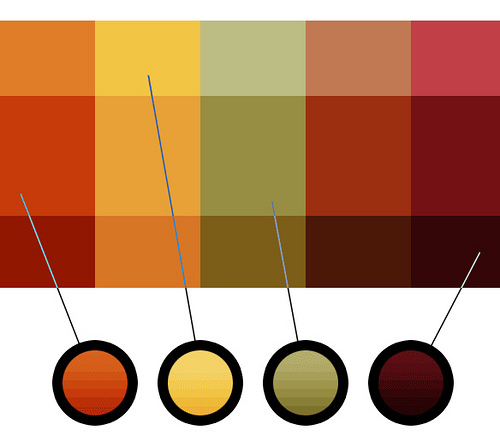
You can also use your style guide to indicate design preferences. Make sure you use the exact same colors in all your materials. Colors have PATONE numbers, which are used by designers and printers. Figure out which ones you will use – here is a guide to help you. Find a PANTONE color You’ll be amazed to see how many shades there are of one color. Having PANTONE numbers will be especially useful if you use more than one print company.
 
Logo
Decide how you want your logo to be sized and where it should be on the page. I recommend you keep your logo in the same place in all your materials to ensure a consistent, recognizable look. You may need to adjust sizing depending on the materials. 
 
Finishing Up
Once you have your style guide in place, go over it with staff, board members, volunteers, and consultants (anyone who might be communicating your message).  Make sure everyone has a copy or that it’s easily accessible on your shared server. When you hire new staff, go over the style guide with them at their orientation.  
 
Creating a style guide will take a little work up front, but it will be worthwhile in the end because your materials will have a consistent message and look. 
 
Here is an example of a style guide that uses AP as a base. VOICEOFSANDIEGO.ORG STYLE GUIDE