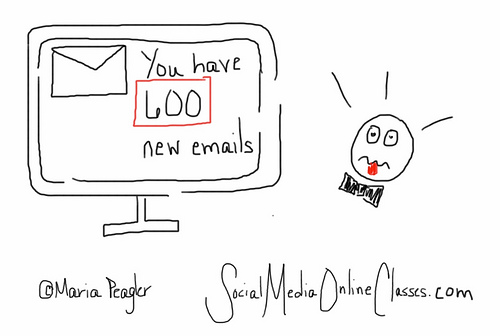
Choose Quality Over Quantity – Part One – Your Email Newsletter

Image by Mark Morgan Trinidad B via Flickr

I’ve been thinking a lot about a quote I read from marketing expert Seth Godin. Is more always better?  Sometimes, only better is better.”  This can apply to just about anything, but I would like to point out a few ways this applies to nonprofit communications. In Part One I’ll cover email newsletters.

In my last post, I wrote about creating effective email messages and briefly mentioned focusing on quality not quantity. Eight Steps to Creating Effective Email Messages

Subscribers only
One of the most common forms of email you will send out is your newsletter. You might think it’s better to send it out to as many people as you can, but you should only send  it to people who have expressed interested in it. That means everyone who receives it needs to have subscribed to your mailing list. Otherwise, you are spamming people.

Focus on the people you serve
Of course, you need to send out a newsletter with quality material. Focus on the people you serve. If you are making a difference in someone’s life or in the community, you should be able to come up with good content for your newsletters.

Most of your readers are donors or potential donors, so your content needs to emphasize how you are doing good things with your donor’s contributions.  An article about securing new computers that can help the kids in your after school program learn new skills is fine. An article about getting new computers for your staff is not going to interest your donors and other supporters. Always think about what your supporters will want to read.

Get organized
If your goal is to send out a newsletter on the first of every month, that’s great. People like consistency.  But if it’s two days before it needs to go out, and you are struggling to come up with articles, then you need to create an editorial calendar or ongoing article database on your computer, so you have material to draw from.  Profiles of the people you serve make great content for your newsletter.  Since they are usually not time-sensitive, they are something you can do on an ongoing basis.

Creating an annual editorial calendar that includes relevant events and other important dates is always a good idea. Here are some sample calendars you can use 


Send out your newsletters once or twice a month with no more than four short articles. If you find that you have too much material for a monthly newsletter, then send one out every two weeks with two or three articles. If every two weeks is too much to produce a quality newsletter, then stick to monthly.  Do whatever you need to do to make sure it’s high-quality.

In addition, try to be consistent with when you send it out.  If you have too much going on around the first of the month, try the fifth or the first Tuesday of every month.

Short and sweet
When writing for your email newsletter, once again think of quality over quantity.  Also, think short – short articles with short paragraphs, so it’s easy to read.  Short doesn’t mean terse.  Use a friendly, conversational style, that’s free of jargon and pompous sounding words.  And,while you are in quality mode, make sure your content doesn’t have any typos or grammatical errors.  Create something your supporters will look forward to reading.

Give your newsletter a consistent look and design.  It will not only look more professional, but your readers should be able to recognize that it’s coming from your organization.

Quality check
Before you send out your newsletter, ask yourself:

Does it include information our donors or other supporters care about?

Is it high-quality?

If in doubt, don’t send it out.

Quality counts!

In Part Two, I’ll write about social media. Choose Quality Over Quantity – Part Two – Social Media

Eight Steps to Creating Effective Email Messages

Email is a fast, easy, and inexpensive way for your nonprofit organization to get a message across to a lot of people. The problem is everyone else is doing the same thing and you are competing with a lot of other sources.  How can you ensure that people will open and read your email messages?  Follow these eight steps.

People must opt in
Every single person on your email list must be there because they have subscribed to it. Even if you have email addresses for your donors and other supporters, don’t add them to your list without their permission.  If you do, you are spamming them. Build relationships first, then your email list.

Don’t worry, it’s easy to build up your email list. Put a “sign up for our email list” prompt in a prominent place on your home page and other web pages, invite donors to sign up when they donate online, collect email addresses at events, invite people through social media,  encourage donors to sign up when you send them a thank you letter, and include subscription links in your email signatures.  Once people sign up, generate a nice thank you response to welcome them.

Open sesame
Your first hurdle is getting people to open your email in the first place.  Your organization’s name should be in the “from” line, so your reader knows it’s from a reputable source.

Make sure you use good subject lines – something short and simple, but effective. Your recipient should want to read more.  Avoid any words that might look like spam. Tell, but don’t sell what’s inside. Some examples might include –  Five Ways to Make Difference In a Child’s Life or Meet Our New Youth Advisors  Here are some more  examples of effective email subject lines 
Make it personal
Congratulations, your recipient has opened your email.  Now you need to get them to read it and take action.  Email can be impersonal, but it doesn’t have to have.  Include a personal salutation, but make sure it’s the right name.  One organization used to periodically send me messages addressed Dear Michael.

You must look marvelous
If your email message looks sloppy or unprofessional, your recipient may not bother reading it, even if includes great content.

Come up with a consistent, recognizable look so your readers know it’s from you. This can include your logo and organization’s colors.

Use an electronic-friendly font, such as Ariel or Verdana, that’s not too small.  Make it easy to read and scan (for better or worse, most people will be scanning your message) by including bold headings, bullet points, and short paragraphs.

Using a photo or image can be a nice way to capture someone’s attention, as well as to break up the text, but make sure they are good quality.

Content is king
Okay, your recipient is still with you. Now, you must write content people will want to read. To do this follow the 4 Cs of writing good 

Is it clear? What is your intention? Do you want someone to donate, volunteer, sign a petition, or attend an event?  Make your point right away and stick to one call to action per message.

Is it conciseUse as few words as possible, but use strong words and leave out any unnecessary adverbs, adjectives, or filler.
Is it conversationalStrive for a warm, friendly tone. Write in the second person and don’t use jargon or any words people need to look up in the dictionary.
Is it compelling? Start with a good opening and keep your reader interested throughout, so they will donate, volunteer, etc. 

Your content should highlight how you are helping the people you serve. 
Be known, but don’t be annoying
Send out messages anywhere between once a week and once a month. If you send out messages too often, people might opt out. Not enough and your supporters might forget about you. Someone is more likely to open and read your email if they are familiar with you.  But, always make sure you have something good to say. Think quality not quantity.

Use an email service provider
These have a lot of great features such as templates to give your messages a professional look, along with ways to personalize your messages, track open and click rates, and segment your lists. 

Go mobile
Remember that some people read email on their mobile devices. Here is an infographic on creating mobile friendly email.  Anatomy of a Perfect Mobile Email

By following the eight steps above, your recipients will be more likely to open and read your email messages, as well as take action.

More Email Marketing Resources

Email 101


Create a Style Guide for Your Organization


Photo by imelda via Flickr

One way to ensure consistency in your communication materials is to create a style guide.  A style guide can cover both elements of your written material (editorial) and the look of your materials (design). Don’t be intimidated by putting one together. You can create one that’s just a few pages long.

 
Getting Started
You may want to use a published style guide such as the Associated Press (AP) Stylebook (probably best for nonprofit organizations) or the Chicago Manual of Style as your base, and then make additions or changes as needed.  These style guides cover items such as when to use commas (red, white, and blue as opposed to red, white and blue), and when to spell out numbers (one) as opposed to writing them as numerals (1).
 
Fonts
Choose a font that you will use in all of your materials. Serif fonts such as Garamond or Times Roman are best for print, and sans serif fonts such as Ariel or Verdana  work better for online materials. Whatever you decide, choose something that’s easy to read.  Here is some more detailed information on choosing fonts. The Best Fonts to Use in Print, Online, and Email
 
Your Organization
What is the official name of your organization, and what are the acceptable ways to abbreviate it? You could also include your mission statement and a brief history of your organization in your style guide.
 
Language
Figure out language that is specific to your organization. Are you a nonprofit, non profit, or non-profit organization?  Do you serve youth or children?  Are you active in the African-American or African American Community. Is there any language you should never use in your materials?
 
Tag Lines and Key Messages
Include your tag lines and key messages.  If you don’t have these, now is a good time to come up with some.  Be sure whatever you come up with is clear, concise, and conversational. Write in the active voice and don’t use jargon. Include these in all your materials and revisit them (maybe once or twice a year) to make sure they are still relevant.
 
Design
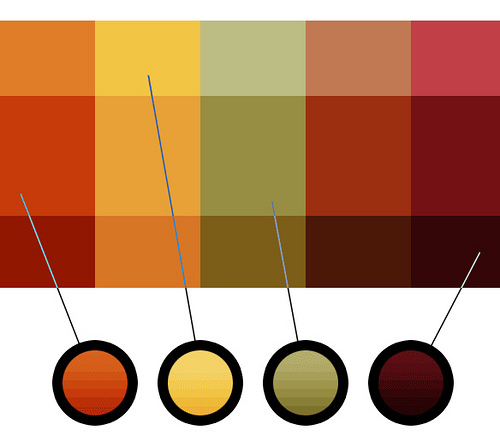
You can also use your style guide to indicate design preferences. Make sure you use the exact same colors in all your materials. Colors have PATONE numbers, which are used by designers and printers. Figure out which ones you will use – here is a guide to help you. Find a PANTONE color You’ll be amazed to see how many shades there are of one color. Having PANTONE numbers will be especially useful if you use more than one print company.
 
Logo
Decide how you want your logo to be sized and where it should be on the page. I recommend you keep your logo in the same place in all your materials to ensure a consistent, recognizable look. You may need to adjust sizing depending on the materials. 
 
Finishing Up
Once you have your style guide in place, go over it with staff, board members, volunteers, and consultants (anyone who might be communicating your message).  Make sure everyone has a copy or that it’s easily accessible on your shared server. When you hire new staff, go over the style guide with them at their orientation.  
 
Creating a style guide will take a little work up front, but it will be worthwhile in the end because your materials will have a consistent message and look. 
 
Here is an example of a style guide that uses AP as a base. VOICEOFSANDIEGO.ORG STYLE GUIDE