Five Ways to Improve Your Fundraising and Communications in 2015

9661913835_4d78d49746_z

2014 is winding down and the New Year is just around the corner.  I hope you had a successful year.

The end of the year is a good time to figure out what worked and where you can make improvements for next year.

Here are five ways you can improve your fundraising and communications in 2015.

Tell stories

Don’t bore your donors with a lot of facts and statistics.  Tell a story.  Use stories in your appeal letters, thank you letters, newsletters, annual reports, and on your website.

Take time to create stories and profiles of clients, board members, volunteers, donors, and staff members.  It’s okay to use stories more than once.

A couple of appeals I received used first-person stories, which can be very compelling.  Be sure to use the person’s own words.  In an appeal from a college-age woman who attended a theater’s program for 14-20 year olds, she writes “Donors help advance the theater’s mission…”  I doubt that’s language she would use.

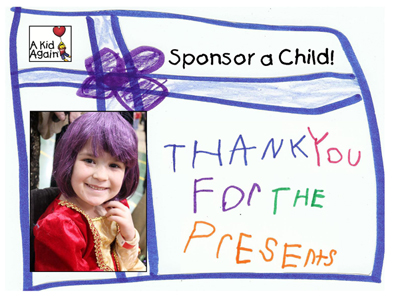
Create a memorable thank you experience

Nonprofit organizations can do a better job of thanking their donors. Some thank you letters look like computer-generated receipts.

Instead of going through the motions, create a memorable thank you experience.  Make your donors feel good about donating to your organization. Give them specific examples of how their gift is helping you make a difference.

Get creative. One organization I support printed Thank You! on the outer envelope of their thank you letter.  You could also handwrite this.

Keep thanking your donors throughout the year.  Make this a priority.

Be donor-centered

So many newsletters, annual reports, and other communications sound like one big bragfest.  You don’t have to tell your donors you’re great.  They wouldn’t have donated if they didn’t find your organization worthwhile.

You need to tell them they’re great.  Again, make them feel good about being a donor.

Always put yourself in your donors’ shoes.  When thinking about what to include in your newsletter, write articles they’ll want to read, such as success stories about the people/community you serve.

Nix the swag and premiums

I receive so many mailing labels from organizations that I can wallpaper a room. Although, they do come in handy when I mail holiday cards.

You may be tempted to send swag or offer a premium if someone upgrades their gift or gives at a certain level.  Think twice about doing that.

Here’s a better idea from a community foundation.  They found an anonymous donor who will match all new donations and any increases in giving from 2013.

You also want donors to give because they care about your organization, not because they want a tote bag.

Pay attention to your data entry

I know data entry is tedious, but you need to do it well.  Donors don’t want to see their names misspelled.

Use the right titles too.  Personally, I don’t like being addressed as Mrs., Miss, or with my husband’s last name, but some donors will feel differently.   Include a title field, along with a space for the name of a second donor to ensure donors are addressed the way they want to be.

Use extra care when soliciting new donors.  I’ve received several appeals with serious data entry errors from organizations I don’t already support.  I was not impressed.

These are just a few improvements you can make in 2015. Can you think of any others?

Create a Style Guide for Your Organization


Photo by imelda via Flickr

One way to ensure consistency in your communication materials is to create a style guide.  A style guide can cover both elements of your written material (editorial) and the look of your materials (design). Don’t be intimidated by putting one together. You can create one that’s just a few pages long.

 
Getting Started
You may want to use a published style guide such as the Associated Press (AP) Stylebook (probably best for nonprofit organizations) or the Chicago Manual of Style as your base, and then make additions or changes as needed.  These style guides cover items such as when to use commas (red, white, and blue as opposed to red, white and blue), and when to spell out numbers (one) as opposed to writing them as numerals (1).
 
Fonts
Choose a font that you will use in all of your materials. Serif fonts such as Garamond or Times Roman are best for print, and sans serif fonts such as Ariel or Verdana  work better for online materials. Whatever you decide, choose something that’s easy to read.  Here is some more detailed information on choosing fonts. The Best Fonts to Use in Print, Online, and Email
 
Your Organization
What is the official name of your organization, and what are the acceptable ways to abbreviate it? You could also include your mission statement and a brief history of your organization in your style guide.
 
Language
Figure out language that is specific to your organization. Are you a nonprofit, non profit, or non-profit organization?  Do you serve youth or children?  Are you active in the African-American or African American Community. Is there any language you should never use in your materials?
 
Tag Lines and Key Messages
Include your tag lines and key messages.  If you don’t have these, now is a good time to come up with some.  Be sure whatever you come up with is clear, concise, and conversational. Write in the active voice and don’t use jargon. Include these in all your materials and revisit them (maybe once or twice a year) to make sure they are still relevant.
 
Design
You can also use your style guide to indicate design preferences. Make sure you use the exact same colors in all your materials. Colors have PATONE numbers, which are used by designers and printers. Figure out which ones you will use – here is a guide to help you. Find a PANTONE color You’ll be amazed to see how many shades there are of one color. Having PANTONE numbers will be especially useful if you use more than one print company.
 
Logo
Decide how you want your logo to be sized and where it should be on the page. I recommend you keep your logo in the same place in all your materials to ensure a consistent, recognizable look. You may need to adjust sizing depending on the materials. 
 
Finishing Up
Once you have your style guide in place, go over it with staff, board members, volunteers, and consultants (anyone who might be communicating your message).  Make sure everyone has a copy or that it’s easily accessible on your shared server. When you hire new staff, go over the style guide with them at their orientation.  
 
Creating a style guide will take a little work up front, but it will be worthwhile in the end because your materials will have a consistent message and look. 
 
Here is an example of a style guide that uses AP as a base. VOICEOFSANDIEGO.ORG STYLE GUIDE